Discogs, token, or CSV
 Shakedown Spins
 A record collection randomizer
Load a stash. Press Random. Let the next record find you.
Shakedown Spins turns your Discogs collection, CSV exports, and friends’ shared stashes into a fast listening ritual for vinyl collectors who are done overthinking the next spin.
Built for album games (best of 3 rolls), one-button decisions, and shared experiences.
Pick a stash
Let the receiver choose
Receiver-style listening
Your collection becomes the station.
The app keeps the action easy: load a stash, narrow the filters, roll a random album, and keep the 5 recent picks visible.
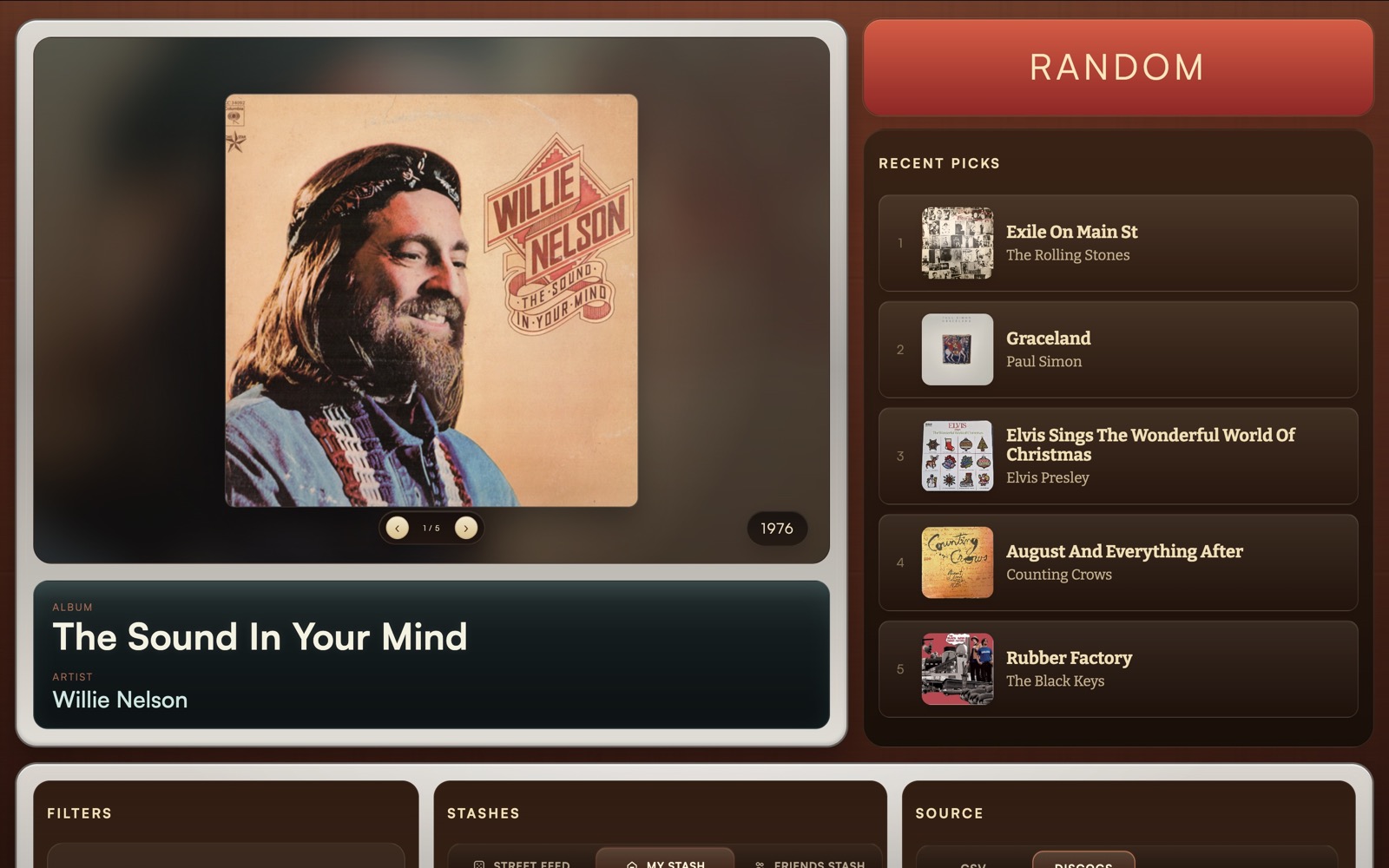
Choose Street Feed, My Stash, or Friends Stash.
Narrow the mood by genre or decade.
Press once and let the app pick the next album.
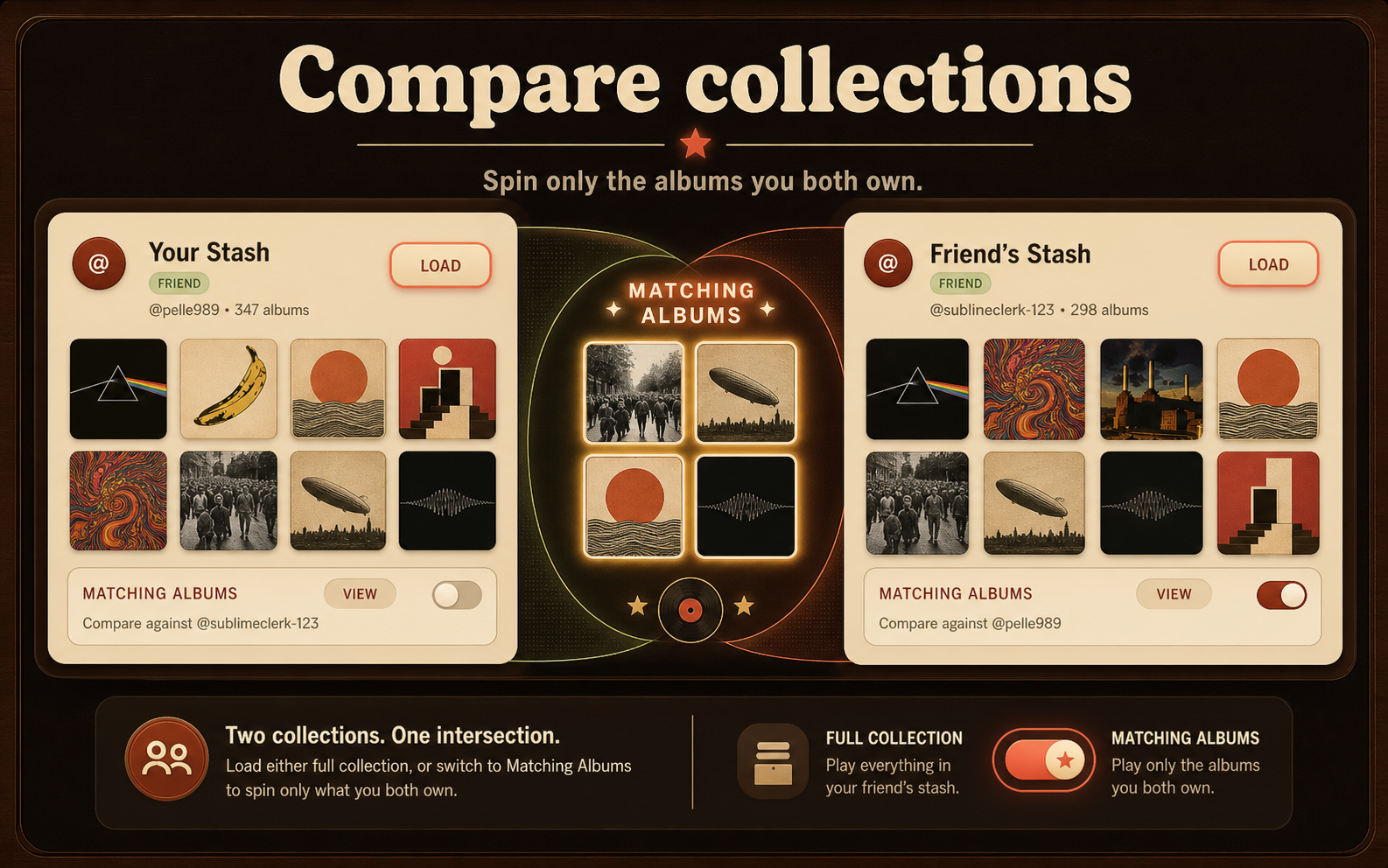
Send a stash, compare overlap, and spin records you both own.
Bring your crate
Connect Discogs, paste a personal token, or upload a CSV. Private stashes require sign-in; public uploads go to Street Feed.
Press Random
Stop scrolling and let the receiver pick the next album. Filter by genre or decade when the room has a mood.
Compare collections
Send a stash to another member, accept friends’ collections, and spin only the records you both own.
Three ways to listen
Choose the shelf you want to spin from.
The latest 10 public CSV uploads, ready to sample without signing in.
Your signed-in private record collection, powered by Discogs or CSV.
Shared collections you accept from Messages or links, including matching-albums mode.
Shared listening
Compare collections.
Load a friend’s stash, switch to Matching Albums, and randomize through only the records you both own.
Use it like an app
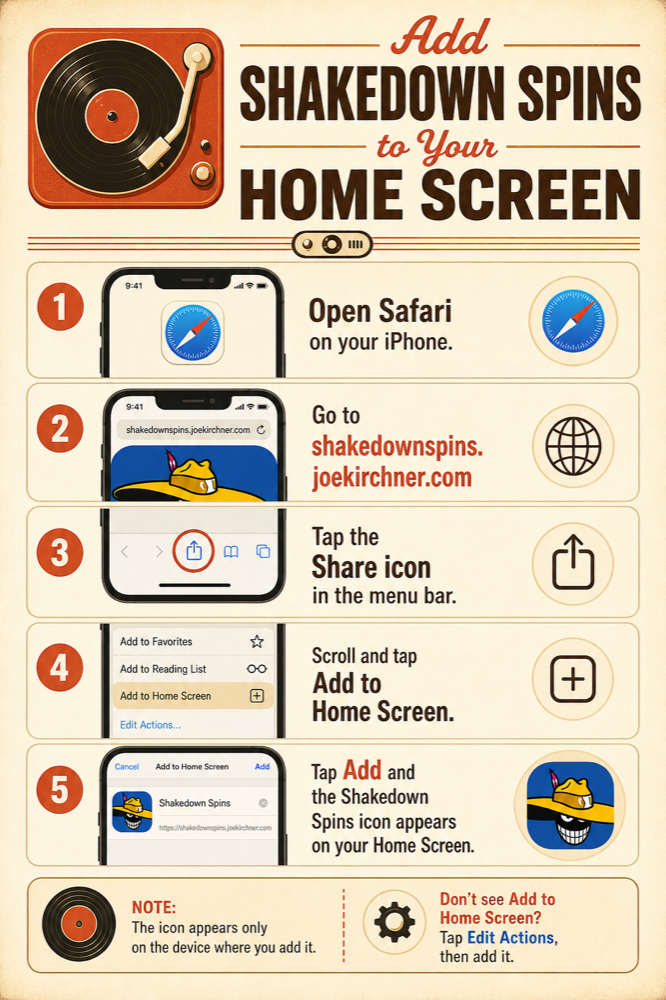
Add Shakedown Spins to your Home Screen.
Shakedown Spins runs in the browser, but you can pin it to your Home Screen for quick access before the next listening session.
iPhone / Safari
- Open Safari on your iPhone.
- Go to shakedownspins.joekirchner.com.
- Tap the Share icon in the menu bar.
- Tap Add to Home Screen.
- Tap Add and the icon appears on your Home Screen.
Don’t see Add to Home Screen? Scroll down, tap Edit Actions, then add it.
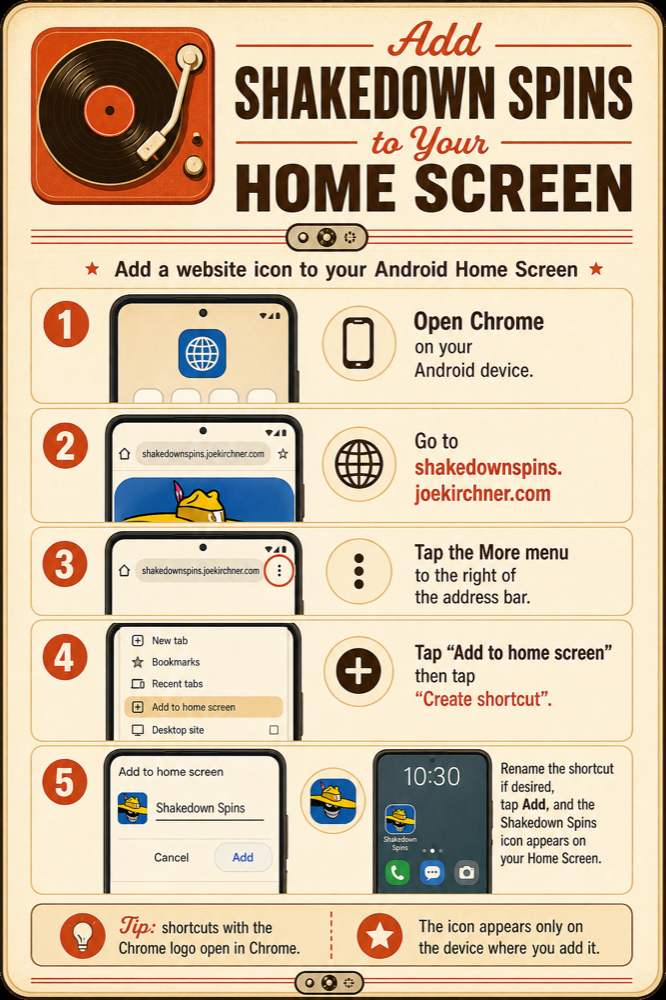
Android / Chrome
- Open Chrome on your Android device.
- Go to shakedownspins.joekirchner.com.
- Tap More to the right of the address bar.
- Tap Add to home screen, then Create shortcut.
- Rename the shortcut if you want, then tap Add.
Tip: Shortcuts with the Chrome logo open in Chrome.
Privacy-minded by default
Private stashes stay private unless you share them. Sign in for private stashes and sharing. Public CSV uploads are intentionally added to Street Feed.
CSV friendly
Works best with Discogs exports, but any CSV with Artist and Title columns can load. Download a sample CSV template.
Sources and credits
Album notes and fact snippets may draw from Wikipedia, TheAudioDB, and Discogs data. Third-party content belongs to its respective owners.
Open project
Want the technical notes? Visit the GitHub README.
Ready?